
Common Recordkeeping Mistakes in FBA Audits


Keeping accurate records is critical for Amazon FBA sellers. Poor recordkeeping can lead to lost reimbursements, audit headaches, and compliance issues. Here’s what you need to know upfront:
Key Mistakes to Avoid:
Inaccurate Inventory Tracking: Missing shipment details or relying only on Amazon’s reports can hurt your claims.
Misclassified Costs and Income: Mixing up fees, refunds, or taxes complicates audits.
Missing Reimbursement Records: Without proper documentation, you risk losing refunds.
Short Record Storage: Keeping records for less than 18–24 months limits your ability to resolve disputes.
Quick Solutions:
Use digital tools to track inventory and finances.
Separate and organize expenses (e.g., storage fees, shipping costs).
Automate reimbursement tracking with tools like Refunzo.
Store records securely for at least 24 months with cloud backups.
Pro Tip: Automating recordkeeping with tools like Refunzo can save time, reduce errors, and recover lost refunds efficiently.
Keep reading for a detailed breakdown of common mistakes, solutions, and how automation can simplify FBA audits.
Top Recordkeeping Errors in FBA Audits
Poor Inventory Tracking
Keeping track of inventory accurately is a common problem for FBA sellers. Issues like not recording initial shipment quantities, ignoring damaged inventory upon arrival, or missing discrepancies between shipped and received units can cause major headaches during audits. Without this information, verifying inventory losses or damages becomes nearly impossible.
One big mistake is depending entirely on Amazon's inventory reports without keeping your own records. If discrepancies show up, sellers often lack the proof needed to back their claims. For example, if items are labeled as 'disposed of' or 'damaged' in Amazon's system, having independent records can confirm these statuses.
On top of this, mistakes in financial record classifications can add even more confusion during audits.
Wrong Cost and Income Categories
Misclassifying expenses and income can make audits unnecessarily complicated. Here are some common errors and their consequences:
Category | Common Mistakes | Impact on Audit |
|---|---|---|
Storage Fees | Mixing long-term and standard storage fees | Skewed profit calculations |
Refund Costs | Combining customer refunds with FBA reimbursements | Double-counting losses |
Shipping Expenses | Combining inbound and customer shipping costs | Misleading cost analysis |
Sales Tax | Failing to track marketplace tax collections separately | Issues with tax compliance |
Missing Reimbursement Records
Lack of proper documentation for reimbursement claims can significantly hurt audit results. Sellers often fail to:
Track the status of reimbursement requests
Record the reasons for claims
Keep proof of the original shipment's condition
Log Amazon's responses to claims
Without this information, it becomes tough to know which claims were approved, denied, or still pending. This can lead to unclaimed reimbursements worth thousands of dollars.
Short Record Storage Time
Many sellers don’t keep records long enough. While Amazon allows an 18-month window for most investigations, many sellers only save records for 6–12 months. This short timeframe creates problems in areas like:
Reconciling old inventory
Verifying long-term storage fees
Analyzing performance over multiple years
Providing compliance documentation
On top of that, poor digital storage practices can lead to permanent data loss. Without detailed historical records, sellers face serious challenges during audits or when disputing fees and charges.
Solutions for Better Recordkeeping
Better Inventory Management
Keeping accurate inventory records requires a structured approach. Start by using a digital tracking system to log shipment quantities, conditions, and tracking numbers. Take photos of inventory before shipping to document its condition. Perform weekly audits by comparing your records with Amazon's reports, and log any discrepancies in a spreadsheet or tracking tool.
Once your inventory records are in shape, ensure your financial records are just as organized.
Correct Money Tracking
Organizing your financial records is key to smooth audits. Here's a simple way to structure your tracking:
Category | What to Track | Documentation Needed |
|---|---|---|
Storage Fees | Standard vs. Long-term | Monthly fee statements, inventory age reports |
Shipping Costs | Inbound vs. Customer | Carrier invoices, Amazon shipping reports |
Refunds | Customer vs. FBA | Case IDs, resolution details, payment confirmations |
Sales Tax | By marketplace | Tax collection reports, remittance records |
Keep separate digital folders for each expense category. Use a master spreadsheet to link all transactions for easy reference.
Once this is set up, you can shift your focus to managing reimbursement claims effectively.
Reimbursement Claim Tracking
Develop a system to track reimbursement claims thoroughly. For each case, document key details like case numbers, submission dates, and claim types. Automated tools can help here - Refunzo, for instance, runs over 20 checks to identify discrepancies that may qualify for claims.
"Been using them for a while - efficient service, reasonable price and seem to constantly be finding money that Amazon owes me." - Danny
Monitor the progress of each claim. Record the amounts and dates of successful reimbursements. For denied claims, keep Amazon's responses and any additional evidence for future follow-ups.
Record Storage Guidelines
Set up a storage system that goes beyond Amazon's 18-month requirement. Aim to keep records for at least 24 months to cover any delayed disputes or investigations. Use cloud storage with automatic backups to protect against data loss.
Organize your files like this:
Inventory records by quarter
Financial documents by fiscal year
Reimbursement claims by case type
Shipping documentation by carrier
Back up all records in at least two places - one of them cloud-based for easy access. Update your storage system monthly to keep everything current and easy to retrieve.
Amazon Account Audit: Step-by-Step Guide for Sellers
Using Refunzo for FBA Records
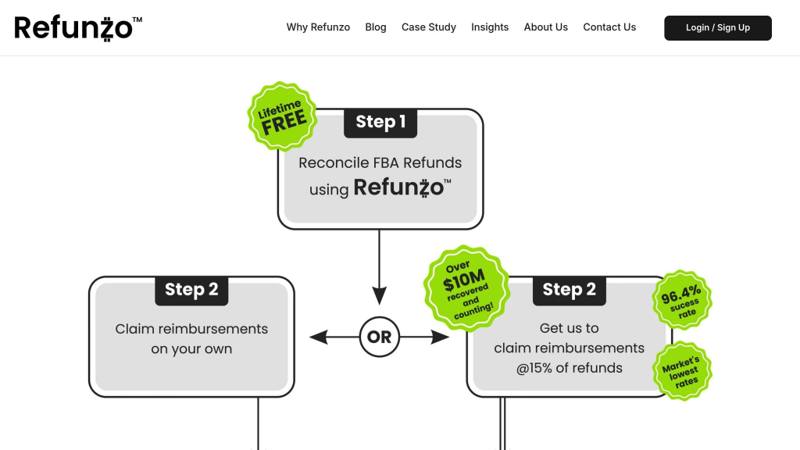
Refunzo simplifies tracking and managing your FBA records by automating checks and spotting discrepancies in your account.
Refunzo's Auto-Check System
Refunzo uses a 21-point automated check system to keep your records in order. It reviews your Amazon account across multiple areas:
Check Category | What Gets Verified |
|---|---|
Shipments | Stock deductions, damaged items, and missing units |
Inventory | Lost items, warehouse transfers, returns |
Payments | Fee calculations, overcharges |
Refunds | Customer returns, FBA errors |
By connecting directly to your Amazon Seller Central account, the system scans transactions and flags issues that might affect audits. These automated checks not only make recordkeeping easier but also help identify refund opportunities, as explained below.
Finding Missing Refunds
Refunzo's automated reports help uncover refund opportunities by addressing common errors:
Identifies lost or damaged inventory that manual reviews might miss
Flags misallocated stock during warehouse transfers
Spots incorrect fee charges
Highlights processing mistakes in customer returns
"I mainly use Refunzo for finding inventory that was lost or damaged at Amazon's warehouse and they are worth every penny of the commission they charge. I will continue using them for a long time." - Robert Cuttler
Getting Help with Claims
Refunzo goes beyond identifying issues by offering full support for reimbursement claims. Their team:
Creates and submits support cases to Amazon
Prepares all necessary documentation to back up claims
Follows up until refunds are processed
Ensures recovered funds are deposited directly into your bank account
The service charges a 15% success fee on recovered amounts, capped at $5,000, and only applies after funds are reimbursed.
"We have been using Refunzo for about 4 years and we have been very pleased with their service. They are extremely easy to work with and charge less than most refunds services around while getting more back in refunds than our last service." - David Cummings
For audits, Refunzo keeps detailed records of all claims and resolutions, ensuring a clear paper trail that meets Amazon's compliance requirements. Each case is handled individually, providing documentation that supports your audit needs while recovering lost funds.
Main Mistakes to Avoid
Poor recordkeeping during FBA audits can result in financial losses and compliance troubles. Here are some of the most common errors sellers face, along with ways to address them:
Mistake | Impact | Solution |
|---|---|---|
Inaccurate Inventory Tracking | Lost or damaged items go unnoticed | Perform regular reconciliations with automated tools |
Missing Reimbursement Records | Potential refunds slip through the cracks | Track claims and resolutions systematically |
Insufficient Documentation | Risk of failing audit requirements | Keep detailed records for all transactions |
Manual Record Reviews | Prone to human errors and oversights | Use automated verification systems |
Automated tools can significantly reduce these risks by improving accuracy and efficiency in recordkeeping.
Benefits of Auto-Checking
Automation helps sellers avoid these mistakes and recover due reimbursements. As Doug Joyce puts it:
"Refunzo is great. Have found me 10's of thousands of dollars. Professional and efficient."
Here’s how automated systems make a difference:
Thorough Verification: A 21-point system identifies issues that manual checks might miss.
Ongoing Monitoring: Regular automated reviews prevent backlogs and save time.
Detailed Reporting: Provides clear documentation, which is essential for audits.
Operational Efficiency: Frees up your time to focus on growing your business.
Implementing automation not only reduces errors but also ensures your FBA operations are always ready for audits.